
Canopy Review 2025: Is It Really Worth It?
What Canopy Offers - Core Features
Here's a focused look at Canopy's practical feature set and how it functions:

 Smart Filtering (AI‑Driven Content Censoring)
 Canopy's Smart Filtering detects explicit images in web content and selectively white‑outs offending visuals while keeping the surrounding page accessible. This differs from traditional blocklists that simply deny access to entire websites.
Strengths:
- Flexible filtering that doesn't blanket block all web access.
- AI can catch previously unknown sources of explicit imagery.
Limitations:
- Filtering works only in browsers — not inside many native apps like TikTok or Instagram.
- Some harmless content may be misclassified, and in other cases explicit content may slip through.
 Sexting Prevention
 The Sexting Prevention system monitors photos and prevents inappropriate images from being saved or shared without parental approval. It categorizes images into Standard and Strict levels depending on the type of nudity.
Pros:
- Can stop explicit photos from being saved directly to the device.
Cons:
- Coverage depends on how and where the image is handled (e.g., some apps may bypass it).
- Does not analyze text‑only communication.
 Web & App Filtering
 Canopy lets parents manage access to websites and apps by category types (e.g., games, social media, pornography). Unlike some competitors, it filters based on category selection and image recognition rather than extensive keyword lists alone.
However, it lacks advanced scheduling by category or time of day that many rivals offer.
 Location Tracking & Downtime
 Location Tracking: Provides real‑time tracking with geofencing alert options.
Downtime: Allows parents to block internet access at certain times; though this is a more blanket block rather than nuanced scheduling.

Pricing Overview
- Canopy plans typically start around $7.99 per month, with tiers (Individual, Duo, Family) defined by the number of devices covered rather than feature tiers.
The subscription includes a 7-day trial and a 30-day money-back guarantee, allowing risk-free evaluation. - Relative to competitors, this pricing is moderate but may feel high if the parent espouses broader supervision capabilities beyond visual filtering.

Data Privacy & Compliance Review
- Data Storage: Key account and device information is stored on Canopy's servers.
- Data Transmission: All data sent between devices and servers is encrypted.
- Cloud Processing: Some AI content scanning (e.g., images) may be uploaded to the cloud for analysis.
- Regulatory Compliance: Canopy complies with COPPA (U.S.) and GDPR (EU) for child data protection.
- Privacy Trade-Offs: Cloud scanning improves accuracy but requires trusting Canopy with sensitive content; parents must weigh safety benefits against on-device privacy.
Summary of User Feedback (Across Third-Party Platforms)
To reduce bias from any single source, we reviewed Canopy-related feedback across multiple third-party platforms, including Trustpilot, app store reviews, and independent parental-control review sites. User feedback shows a consistent pattern of polarized experiences, often tied to device type, usage expectations, and filtering scenarios.
Positive Feedback (Less Common but Notable)
- Some parents report that general website filtering works adequately for everyday browsing, especially for younger children who primarily use standard browsers.
- A small number of users note that image detection performs more reliably on iOS than on Android, particularly when blocking explicit images on common websites.
- Parents who prioritize content blocking over activity monitoring are more likely to describe the experience as "sufficient" rather than "comprehensive."
Common Criticisms (More Frequently Reported)
- Filtering accuracy is inconsistent, with multiple users reporting that certain explicit websites, images, or social media content occasionally bypass the filters.
- Some parents experience slower page loading times or failed connections when filtering is active, particularly on mobile networks.
- Over-blocking occurs occasionally, where harmless websites or images are mistakenly blocked, requiring manual intervention.
- Customer support is frequently described as slow or unresponsive, especially when users encounter ongoing filtering or performance issues.
On platforms like Trustpilot, Canopy currently holds an average rating of around 2.2/5, reflecting a substantial volume of mixed to negative experiences. Rather than indicating that Canopy is entirely ineffective, this score suggests a misalignment between marketing expectations and real-world usage, particularly for parents seeking holistic monitoring rather than content-only filtering.
Real-World Use: How Our Findings Compare to User Reviews
During a limited test on my iPhone 15 Pro Max (iOS 18), paired with a child's Samsung Galaxy S23 (Android 14), I observed a few behaviors that align with some user reports:
- In Instagram DMs, explicit links and images could still be sent and opened.
- Google Search was able to display certain adult websites and images without triggering warnings.
- No notification or alert appeared on the parent device during these test cases.
- App responsiveness occasionally felt slow, with taps not registering on first attempt.
These observations are not intended as a definitive judgment of the software—test results may vary depending on device type, system settings, or network conditions. However, it's noteworthy that similar issues were mentioned by some users on public review platforms, suggesting that the experience can differ from device to device.
Pros & Cons of Canopy

 Where Canopy Excels
 - Real-Time Visual Content Filtering — Especially for web browsers.
- Sexting Prevention Mechanism — Unique and helpful where applicable.
- Cross-Platform Support — Works on iOS, Android, Windows, macOS, and Chromebook.
These strengths make Canopy a notable choice for parents focused on minimizing exposure to explicit web content without blanket blocking all access.
 Where It Might Fall Short
 - Content Filtering Limitations in Apps — Filtering doesn't work inside all native applications.
- Lack of Deep Monitoring Tools — No YouTube comments filtering, call/SMS scanning, search history insights, or social media text analysis.
- Basic Screen Time Controls — Downtime is present, but advanced time scheduling is limited.
- Performance & Support Issues Reported — Some users experience slower load times and mixed support responsiveness.
This indicates that Canopy may not fully replace more comprehensive monitoring solutions for parents seeking 360° device supervision.
Canopy Alternatives (Better Options for Different Needs)
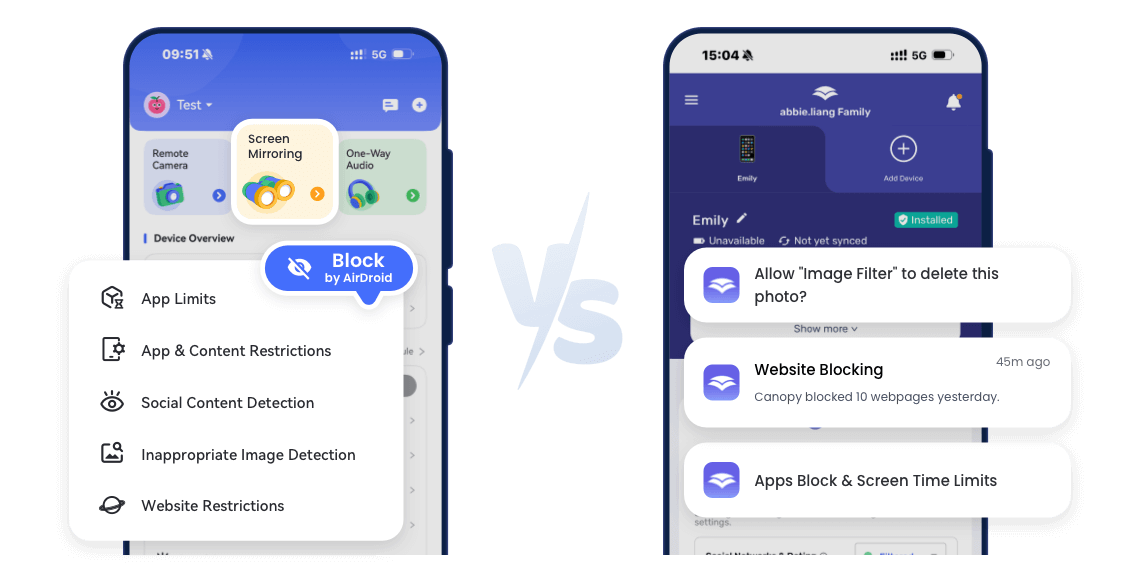
While Canopy focuses primarily on AI‑based web and image content filtering, there are several other parental control tools that also offer similar filtering capabilities — some with broader coverage, more customizable policies, or deeper scanning across apps and social platforms. The table below highlights how these alternatives compare with Canopy in terms of content filtering effectiveness and range.
- Filtering Category
- Web Filtering


- Social Media Monitoring

- Harmful Image Detection

- Call & SMS Monitoring
- App Blocking








Frequently Asked Questions
Q: Is Canopy Easy to Set Up?
However, I noticed a few minor issues during setup and initial use. Some settings required extra permissions on iOS, and the app occasionally lagged when switching between menus or toggling features. Fine-tuning content filters took a bit of trial and error to get it working as expected.
Overall, while the app is designed to be parent-friendly and doesn't require technical expertise, my hands-on experience showed that small delays and interface hiccups can happen, especially on iOS devices.
Q: Why Canopy Avoids Full Device Monitoring?
During my use, I noticed that this design means parents won’t get full visibility into all device activity — you won't see everything your child does, only what triggers the content filters. This approach is fine if your main goal is to prevent access to inappropriate material, but it’s less suitable for parents who want comprehensive behavioral monitoring or real-time insights into all activity on the device.
Q: Which Age Group Is Canopy Most Suitable For?
A: Canopy's design focuses on protecting children from inappropriate content, but its suitability varies by age due to feature limitations. Based on performance and functionality, here is a breakdown:
| Age | Recommended? | Reason |
|---|---|---|
| 6–10 | Partially | Lacks screen mirroring and remote monitoring; good for basic web filtering |
| 11–14 | Strongly | Content filtering and sexting detection are very useful for pre-teens and early teens |
| 15–17 | Limited | Cannot monitor social behavior, calls, or SMS; less effective for older teens |
Overall, Canopy is most effective for children aged 11–14. For younger kids, it provides basic protection, while for older teens, parents may prefer a more comprehensive monitoring solution such as AirDroid Parental Control, which supports advanced app monitoring, call/SMS tracking, and social media oversight.
Start with AirDroid Parental Control to Protect Your Kids Now
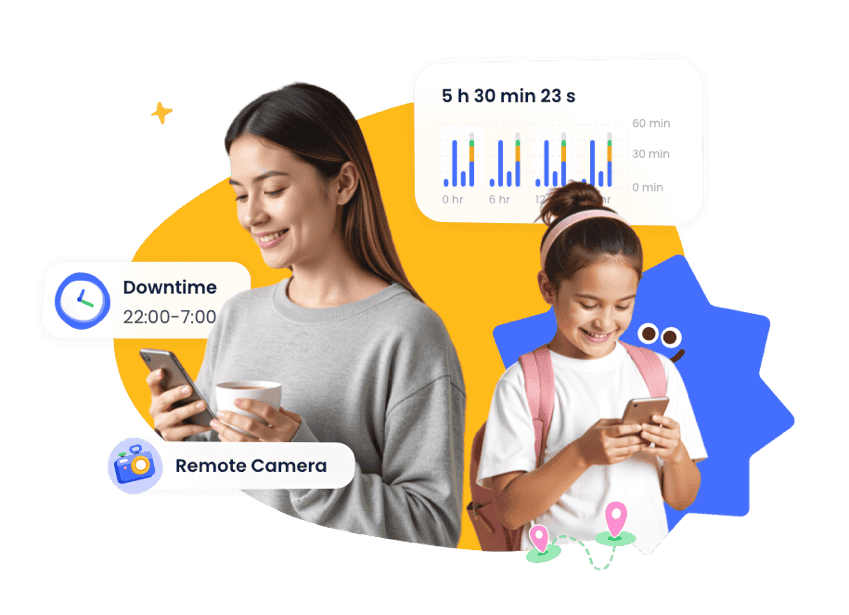
Complete Family Protection in 3 Easy Steps
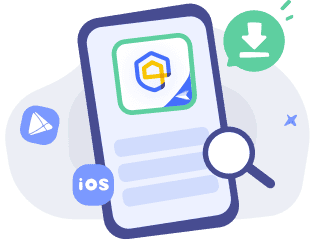

Get Started
Download AirDroid Parental Control or go to AirDroid Parental Control Web.

Sign Up and Sign In
Register an AirDroid account and sign in on the parent's device.
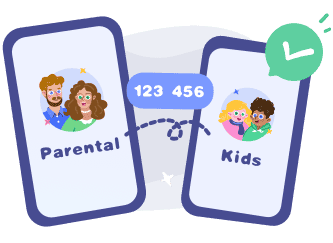
Bind Child's Device
Install the AirDroid Kids on the kid's phone and input the
binding code to connect both devices.